






Apache Solr にShipStation のデータをインポートする方法

Apache Solr は、Apache Lucene 上に構築された人気のある高速なオープンソースのエンタープライズサーチソリューションです。
Apache Solr には、データベースやXML、CSV、JSON ファイルからデータをインポートできるData Import Handler(DIH)が搭載されています。CData JDBC Driver for ShipStation と組み合わせることで、ShipStation のデータを簡単にApache Solr にインポートできます。この記事では、CData JDBC Driver をApache Solr のData Import Handler で使用し、エンタープライズサーチ用にShipStation のデータをインポートする方法をステップバイステップで解説します。
ShipStation インポート用のApache Solr コアとスキーマを作成する
- Apache Solr を起動し、コアを作成します。
> solr create -c CDataCore
この記事では、Solr はローカル環境でスタンドアロンインスタンスとして実行されており、次のURL でコアにアクセスできます:http://localhost:8983/solr/#/CDataCore/core-overview - インポートするShipStation のデータのカラムを表す「field」オブジェクトと、エンティティの一意キーで構成されるスキーマを作成します。ShipStation にLastModifiedDate が存在する場合は、増分更新に使用されます。存在しない場合は、後述のdeltaquery を実行できません。スキーマはApache Solr が作成したmanaged-schema ファイルに保存します。
- CData ShipStation JDBC Driver をインストールします。JAR ファイルとライセンスファイル(cdata.shipstation.jar とcdata.jdbc.shipstation.lic)をSolr ディレクトリにコピーします。
- CData JDBC JAR ファイル:C:\Program Files\CData\CData JDBC Driver for ShipStation ####\lib
- Apache Solr:solr-8.5.2\server\lib
ShipStationUniqueKey
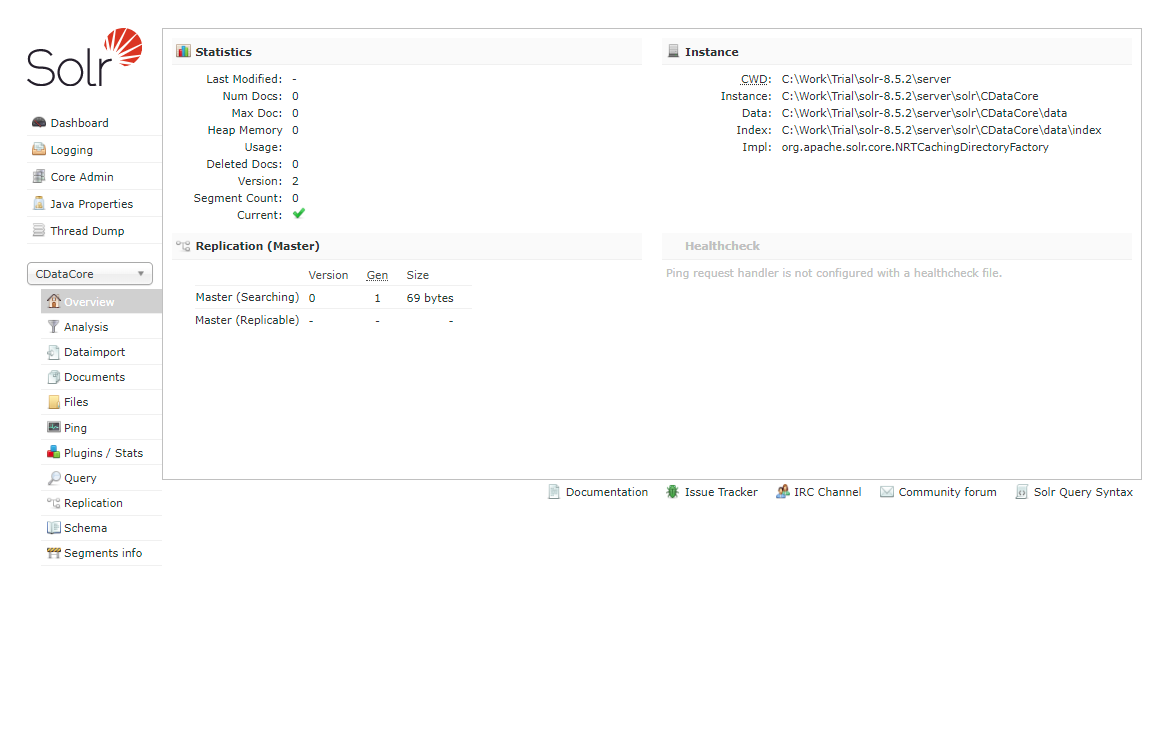
これで、Solr でShipStation のデータを使用する準備が整いました。
ShipStation からApache Solr へのインポートを定義する
このセクションでは、Data Import Handler の設定手順を説明します。
- 作成したコアのConfig ファイルを編集します。JAR ファイルの参照を追加し、DIH RequestHandler の定義を追加します。
<lib dir="${solr.install.dir:../../../..}/dist/" regex="solr-dataimporthandler-.*\.jar" /> <requestHandler name="/dataimport" class="org.apache.solr.handler.dataimport.DataImportHandler"> <lst name="defaults"> <str name="config">solr-data-config.xml</str> </lst> </requestHandler> - 次に、同じ階層にsolr-data-config.xml を作成します。この記事ではShipStation からテーブルを取得しますが、カスタムSQL クエリを使用してデータをリクエストすることもできます。Driver クラスとサンプルJDBC 接続文字列は以下のサンプルコードにあります。
<dataConfig> <dataSource driver="cdata.jdbc.shipstation.ShipStationDriver" url="jdbc:shipstation:APIKey='YourAPIKey';APISecret='YourAPISecret'"> </dataSource> <document> <entity name="Tags" query="SELECT Id,ShipStationColumn1,ShipStationColumn2,ShipStationColumn3,ShipStationColumn4,ShipStationColumn5,ShipStationColumn6,ShipStationColumn7,LastModifiedDate FROM Tags" deltaQuery="SELECT Id FROM Tags where LastModifiedDate >= '${dataimporter.last_index_time}'" deltaImportQuery="SELECT Id,ShipStationColumn1,ShipStationColumn2,ShipStationColumn3,ShipStationColumn4,ShipStationColumn5,ShipStationColumn6,ShipStationColumn7,LastModifiedDate FROM Tags where Id=${dataimporter.delta.Id}"> <field column="Id" name="Id" ></field> <field column="ShipStationColumn1" name="ShipStationColumn1" ></field> <field column="ShipStationColumn2" name="ShipStationColumn2" ></field> <field column="ShipStationColumn3" name="ShipStationColumn3" ></field> <field column="ShipStationColumn4" name="ShipStationColumn4" ></field> <field column="ShipStationColumn5" name="ShipStationColumn5" ></field> <field column="ShipStationColumn6" name="ShipStationColumn6" ></field> <field column="ShipStationColumn7" name="ShipStationColumn7" ></field> <field column="LastModifiedDate" name="LastModifiedDate" ></field> </entity> </document> </dataConfig> - query セクションで、ShipStation からデータを選択するSQL クエリを設定します。deltaQuery とdeltaImportquery は、同じエンティティの2回目以降のインポートで増分更新を使用する際のID と条件を定義します。
- すべての設定が完了したら、Solr を再起動します。
	> solr stop -all
	> solr start
ShipStation のデータのDataImport を実行する
- 以下のURL からDataImport を実行します:
http://localhost:8983/solr/#/CDataCore/dataimport//dataimport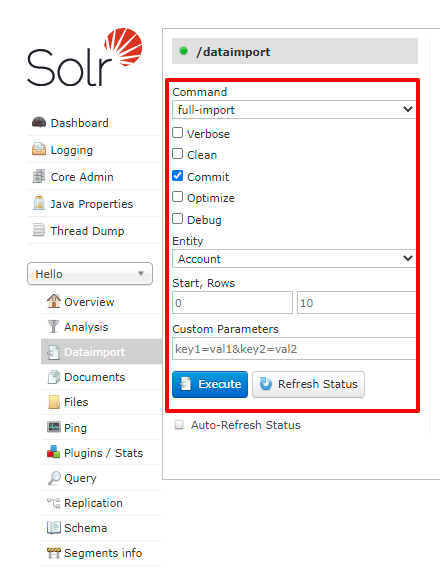
- 「full-import」コマンドを選択し、Entity からテーブルを選択して、「Execute」をクリックします。
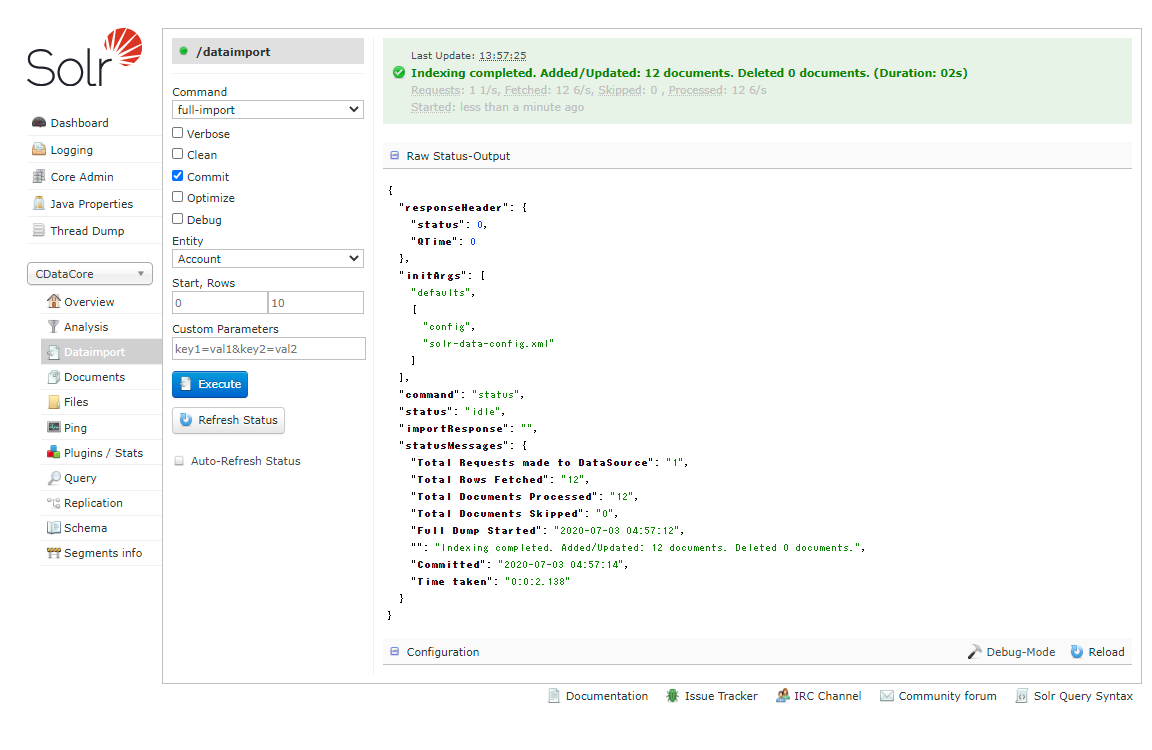
- Query からインポート結果を確認します。
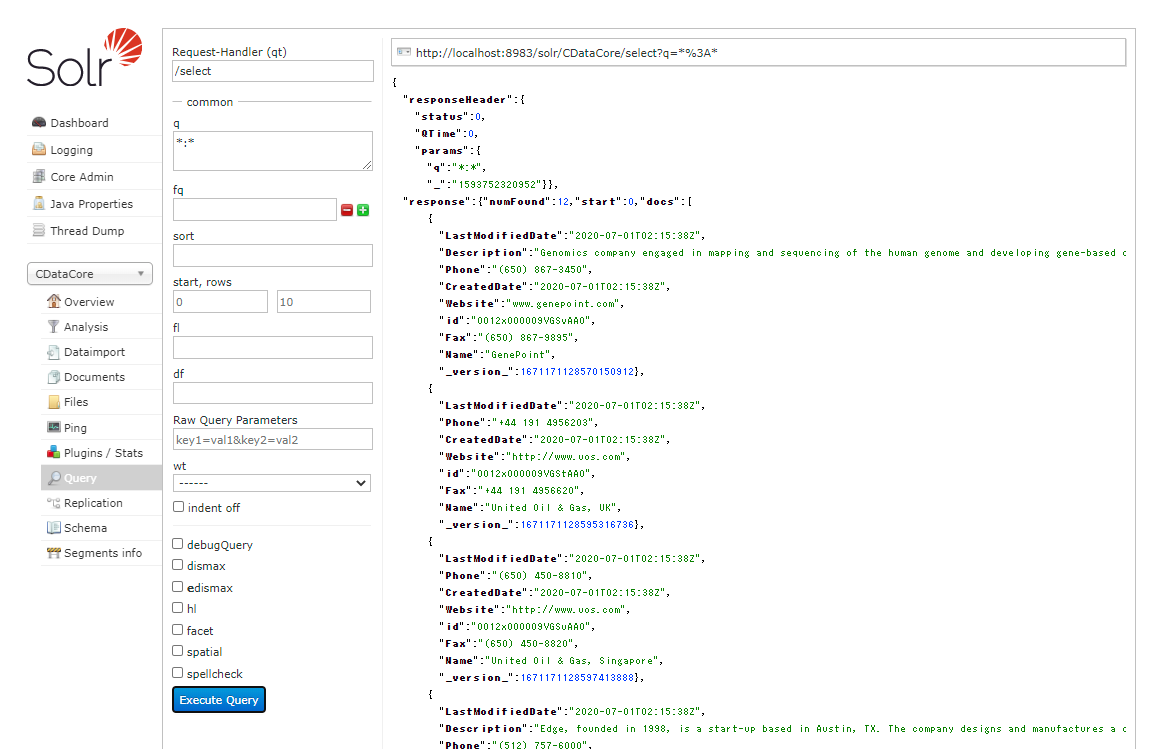
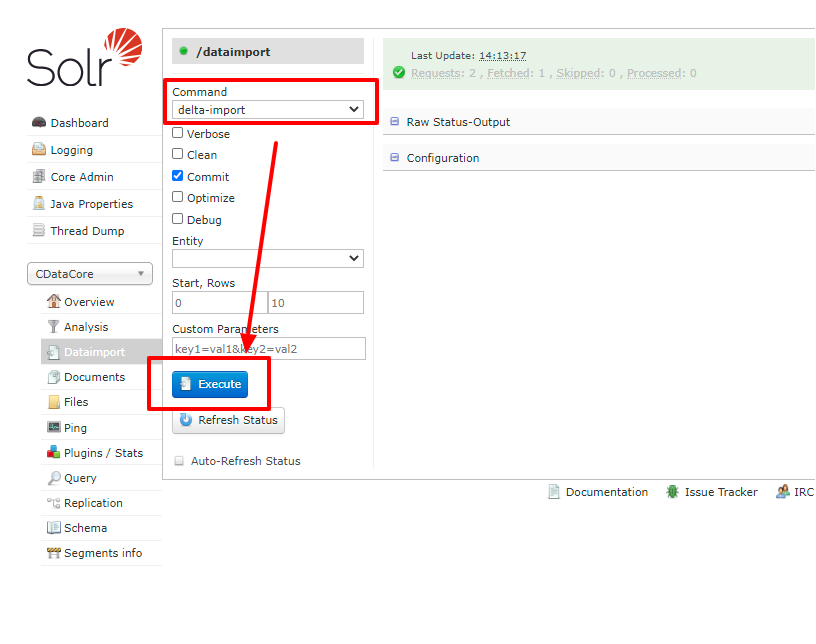
- deltaQuery を使用した増分更新を試してみましょう。元のShipStation データセットのデータを変更します。DataImport ウィンドウから今度は「delta-import」コマンドを選択し、「Execute」をクリックします。
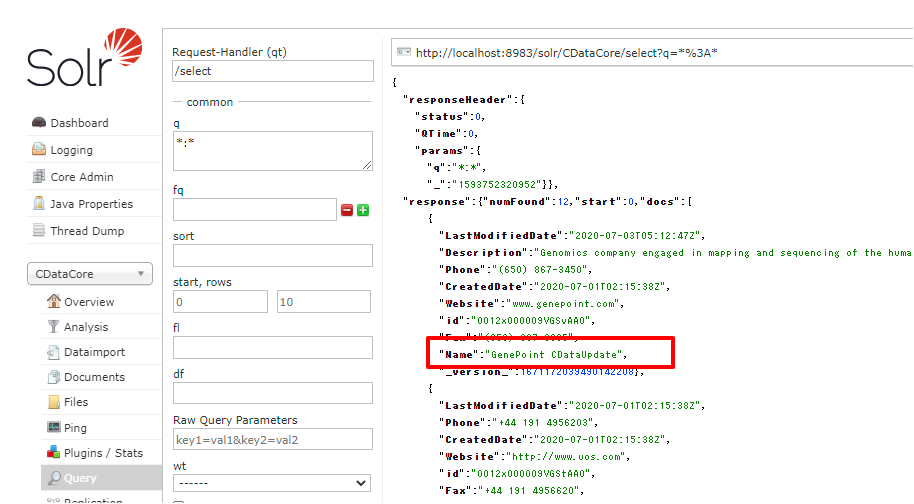
- 増分更新の結果を確認します。
CData JDBC Driver for ShipStation を使用することで、ShipStation のデータのApache Solr への自動インポートを作成できます。250+ のCData JDBC Driver の無料30日間トライアルをダウンロードして、今すぐ始めましょう。
はじめる準備はできましたか?
ShipStation Driver の無料トライアルをダウンロードしてお試しください:
ダウンロード